Friday, January 27, 2012

What is the best HDTV antenna?

The answer would seem to be simple... the one that works. But how do you know?

There's a funny thing going on in the world right now. Even though home budgets are strained to the limit, spending on home entertainment hasn't slowed. Many top economists predicted that spending on home entertainment would slow, especially after the huge surge in HDTV purchases in 2009 but it's a funny thing... that hasn't happened. Instead, consumers have focused on making smart decisions and getting more for the money that they have.

Many people have made a perfectly sensible choice to "cut the cord..." eliminating a $1200/year expense from a cable or satellite company and combining over-the-air TV watching with an IPTV box like AppleTV or Roku. The cost savings is impressive and when all is said and done, you don't lose that much.

If you're lucky enough to live in a home built in the mid-20th century you may have an old antenna on the roof, and with a couple of dollars in parts and a willingness to crawl around in the attic, you may have everything you need. Unfortunately, many antennas were taken off roofs in the last 20 years as cable and satellite became the norm. Still more lean excessively, are out of alignment, or have broken or corroded tines.

Don't be discouraged. Buying an antenna is easier than ever and it doesn't mean a trip to the dusty part of the hardware store. Before you buy, though, make sure you're getting the right antenna for your needs.

What do I need to know?

There are a lot of variables involved in choosing the best HDTV antenna for your needs. There is also a lot of misinformation. When the HDTV transition started several years ago, the rumor started that all you needed was a cheap UHF antenna. UHF uses higher frequencies than VHF and it's true, many HDTV channels do use UHF. However, the odds are overwhelming that if you're in a market with 6 or more channels one of them is VHF. Many stores sell "HDTV Antennas" that are nothing more than UHF antennas. Buy one of these and you're giving up on channels you should be able to get.

The most predictable measure of the antenna you need is your distance from the broadcast tower. Many people who live in major cities can see the broadcast towers sitting on top of one of the tallest buildings in the city. If this is you, you may be able to get away with a very inexpensive antenna.

Most of us live in the suburbs of course, and can't see the skyline from our bedroom windows. For those people, the question is a little more complex. Where are the towers? How far away are you? Are their obstructions like mountains in the way? For this reason some people choose to spend too much money and put a giant antenna on the roof. This is not your only choice.


If you are one of those city dwellers you may be just fine with a general purpose antenna like the one pictured here. These antennas are very small and can be used inside or outside. They even have a funky, arty look that might actually pass for decoration in your hipster pad.


The majority of people actually live within 40 miles of a television tower. This is no happy accident; it's the way that the television markets are built. If you're a happy suburbanite you may be fine with an amplified indoor antenna like the one pictured here. These are relatively small and are designed to give the best result for much of suburbia without requiring you to get up on the roof. They work equally well in apartments.

If you live a further away, you're not out of luck. Unfortunately though, you're probably going to need a roof-mounted antenna. These are not very hard to install if you're fairly handy with tools and are comfortable being up on the roof. There are a lot of variables in play though... proper aiming is essential and if you're trying to get TV from more than one city a rotator may be necessary. The cost of all the parts you need is still probably less than one month's cable bill.


Roof mounted antennas all look a lot like the one pictured at left, but there are subtle differences. The number of tines varies depending on how much signal you need to pull in, and that depends on your distance and the obstructions in your way. The best roof antenna for your needs is going to be the one that catches just enough signal and not too much. If you choose the most massive amplified antenna around, you risk picking up signals that may actually interfere with your viewing. A quick look at the older homes in your area will give you some idea of the antennas that were used in the 1950s and 1960s; this will start you on the right track but it's not the final answer.


Before you set out, it's a good idea to have some professional help on your side. SolidSignal offers a free service to help you find the right antenna for your needs and there's still plenty of time to get it done before the big game. We've made it easy for you to get the best advice. Our techs are available to answer your questions... just fill out a simple form. Click the link above to be taken to our TV Antenna help page. Fill out all the important information and we'll get back to you as soon as possible with a customized solution for you. It's that easy!

The best HDTV antenna is the one that costs you the least but delivers the best performance. Don't make it a guessing game, though. Take some professional FREE advice and by gametime, you'll be ready to impress!

Thursday, January 26, 2012

Are you ready for a Smart TV?

"Computers are coming to the living room."

It seems to me that I've been hearing people talk about that for about fifteen years. I remember in the summer of 1998, visiting a Gateway retail store (remember those?) and there was a PC with a composite video out, ready to be connected to your living room PC.

This was before most people had real internet service in their homes, mind you. This was way too early. Gateway's concept flopped, and so have many other concepts in the past. Let's take a look at some of the milestones (some may call them speed bumps) on the long and varied road to getting a true PC experience in the living room.

Home broadband: If you've been around a while, you remember the sound of a modem dialing. Living room computing is about having something to do with the computer, and until there was something resembling high-speed access to the home, the internet was as much a source of frustration as it was a source of joy.

Before home broadband, devices like WebTV were inexpensive ways to get connected, but they were frustratingly limited.

Wi-Fi: The early 2000s brought reasonable speed to the home, but it wasn't until wireless networking became common that it really made sense to use more than one computing device. Wiring your house for ethernet was expensive at best and impossible at worst. The Wi-Fi standards ratified around the end of the 20th century brought cheap, reliable wireless communication to homes. Suddenly, no one was stuck in the back bedroom anymore.

DVRs: The first computing device designed for the living room was the DVR. Really a computer in disguise, as DVRs began to gain favor in the 2000s the idea of getting information from the TV came with it. TiVo and ReplayTV were early leaders in the charge to bring interactive content, and both DVRs allowed for wireless networking for a low price.

HDTV: Let's face it, an old-school television makes a pretty poor monitor. By 2004, flat-panel monitors with resolutions of 1280x1024 were becoming commonplace, and the living-room TV with a true resolution of about 640x480 wasn't going to cut it. Today's smartphones look better than that. Starting in 2006, the HDTV revolution moved into high gear, and it brought with it high resolution flat-panel technology that was designed for the living room. Living room computing became a possibility, and that led to...

Home Theatre PCs: If you were an adventurous soul, you could build yourself a home theatre PC by the late 2000s. Open platforms like Linux allowed for customization, while Windows sported a Media Center edition that made things a little easier. It wasn't for the faint of heart, though, and better things were to come.

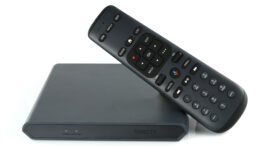
Standalone IPTV boxes: Roku and Apple stepped in by 2010, and delivered an internet-connected device smaller than a CD player (come on, you remember those!) that delivered content from the internet to the TV. Services like Netflix brought television content on demand, and DLNA, the standard for interactive content delivery within the home, allowed for sharing of content from home TVs.

Truly "smart" devices: Finally... the stage was set for the first wave of truly "smart" devices like the GoogleTV. GoogleTV stumbled a bit out of the gate with an overly complex structure paired with high price, but the point was made. TV manufacturers put smart content right into televisions, eliminating the need for a standalone box.

Now that you've had the history lesson, let's look to the future. Smart TV technology is cheap, adding less than $100 at retail to the cost of a television. More and more, media is consumed on multiple devices and let's face it, a smartphone makes for a pretty poor consumption device compared to a big-screen TV. In the next year, Smart TV, meaning the ability to connect the TV to the internet, will become standard, not optional, in all but the least expensive TVs. The result will be an almost transparent transition from smartphone and tablet viewing to true, on-demand content on TV.

It's hard to know for sure what impact this will have on major television networks and multichannel providers (like cable and satellite companies) but there's no question things are going to change, in a big way! It's very possible that within the next few years it will be possible to "cut the cord" completely, just using apps and an antenna to get every single bit of content that once required a cable or satellite bill. All this is possible because the computer has finally come to the living room... except it fooled us all. The computer looks like a TV now.

Wednesday, January 25, 2012

Do a public service to a friend or neighbor... look at his TV.

The Super Bowl is coming in about a week and a half, and as usual it is expected to be the biggest event on television this year. It could be the biggest event on television ever... it has been in the past. Super Bowl parties will be focused on the Patriots and the Giants, with fans on both sides. Inevitably, circles of friends will descend on whomever has the biggest TV.

As an enthusiast, your friends look up to you, even if you're not the one with the biggest TV. So, do a public service: take a look at that big TV beforehand while there's plenty of time -- especially if it isn't yours.

It's been three years since the digital TV transition took place, even more since HDTVs hit the market. Yet, with all those new big TVs out there, some of them look pretty bad.

A few questions to ask:
  • Are you even watching HD? It's a silly question for the readers of this blog but for your friends, it may not be. Many cable and satellite systems put HD channels on a different number than their SD counterparts.
  • Is it better to go antenna-in as opposed to using cable or satellite at all? There can be a big difference between the quality of antenna in vs. cable or satellite, and satellite systems let you have all the DVR functions on antenna-in, with an extra module.
  • Is the TV set to "blazing-store-demo" mode? A few tweaks using a calibration disc or even just some common sense can make any HDTV look better.
  • Is the TV hooked up to a surround system? If so, a little time calibrating the sound will make a real difference too. Make sure the connection is the best possible: HDMI if the system allows it, optical or coaxial digital as a second choice. Avoid those red and white RCA plugs unless there's no other choice.
This is the time that everyone is going to paying a lot of attention to TV, and it's your duty as the lead geek in your circle of friends to step up and make sure everyone is watching the best picture that they can.

Tuesday, January 24, 2012

We're back from a long hiatus!!

If you've been wondering about this blog, and when it will be updated, there's good news!

The Solid Signal Blog is coming back strong, starting today!

SolidSignal.com is about to get a lot more social, and you're going to have an opportunity to read more about it, and be part of the community as it happens. For now, start following this blog... there will be content on a daily basis.

You can also find us at other social media sites:
On Facebook, search for Solid Signal or go to www.facebook.com/solidsignalcom
On Twitter, you'll find us @SolidSignalCom

This is a very exciting time and we're looking forward to sharing with our online friends!

That's all for now...

SS@SolidSignal

Wednesday, June 1, 2011

Choosing the right amplifier for your TV Antenna


Before you pick out the proper amplifier, it should be known that the job of the amplifier is to make up for signal loss from cable runs and splitters.

The idea here is to choose an amplifier that has enough gain to make up for the signal loss. Here are some rough estimates of loss:

Cable Loss -
RG6 Coax - 6dB @ 100 ft.
RG59 Coax - 10dB @100 ft.


Splitter Loss
2-Way Splitter 4dB
3-Way splitter 8dB
4-Way Splitter 8dB
8-Way - 12dB


Even if ports are left unused on a splitter, there is still the same amount of signal loss.

In the diagram the RG6 cable length totals 100ft on the longest run for -6dB. The signal also passes through a 4-way splitter where it gets reduced by 8dB, totaling 14dB at the TV. Any pre-amp 14dB or stronger would make up for the signal loss in this home.

The best things to keep in mind when picking out a pre-amp is
  • If you are within 20 miles, there is a possibility of over-driving your tuner if the amp is too strong
  • Calculate the loss of your current system, and pick an amp that makes up for your loss
  • If an amplifier only mentions a single band (UHF or VHF) then it will most likely block the other band
  • The closer to the antenna, an amp is installed, the more loss it will make up for

Below are some terms used to describe certain qualities of a Pre-amplifier


Gain: This is the most important factor in picking out a pre-amp because you want to make sure your gain is equal to or greater than your signal loss. For instance. If you have 100ft of RG6 cable , which has 8dB of loss, you want to make sure you amp is at least 8dB or stronger. Amps range from about 12-30dB.

A warning about high-gain amps. The higher gain amps are not necessarily better. If you only have 15dB of loss on your longest cable run, and you use a 30dB amp, you can overdrive your tuner with too much signal.

Noise figure: This is almost as important as the gain. When an amp is added to a system, a small amount of signal noise is generated. The higher the noise figure, the lower the sensitivity of the tuners being used to pick up the signal. Channel Master’s CM7777 is sought after for it’s low noise figure. (Around 2dB on UHF) This is a good noise figure. A high noise figure would be 4-6dB.

Frequency VHF UHF FM: This one is pretty simple. If your TV Antenna is VHF/UHF get a pre-amp that passes VHF/UHF. Using a VHF/UHF Antenna on a VHF only or UHF only amp will result in one of those frequencies being blocked

High input: This feature is important for those under twenty miles, who want to make up for cable, but don’t want to overdrive their tuner. The best example of this feature is the HDP-269

FM Trap: FM Traps will strongly reduce FM Signal. This is used to knock down the signal level of strong local FM stations that may be causing interference to your TV station. FM Traps are either fixed, or switchable.

Connection Type: All modern pre-amps have a 75 OHM F-connector, the alternative was a 300 OHM Twin lead cable, but most of those models have since been continued.

Dual Input: These amps have two inputs, one for VHF and one for UHF. This allows you to join a VHF and UHF signal with almost no loss.

Friday, May 27, 2011

How to properly install a pre-amplifier

This has to be one of the most commonly asked question we get about off-air TV Antennas. When the slightest drop in signal level can cause a digital signal to drop out, a pre-amp is a worth investment to make sure your holding on to every decibel you have.

Recommended tools:


Cable - We recommend using RG6 Coax Cable that has a solid copper conductor. Cables that have a copper coated steel conductor will work too, but cannot support long runs.


Installation


The amplifier should be installed as close to the antenna as possible. It´s most commonly attached to the antenna mast using the included U-bolt clamp.

Next connect a short coax cable to the antenna, and connect the other end to the
input on the pre-amp labeled "ANT. Input" or "VHF/UHF"

Next run a cable from output of the pre-amp, usually labeled “TV OUT” or something similar. This should be the cable run that goes outside from the building.


The power supply or power injector, should be installed in-line once the cable is
inside the building. Connect your coax cable to the port labeled “From ANT.”

Once you have the cable connected to the input on the power injector, there should be one open port, labeled “To TV”. This is where you will connect your
coax cable that leads out to the TV or splitters.

Make sure there isn’t any devices installed in-line between the pre-amp and the power supply. These can block the voltage that is being sent up the cable to power the amp, which results in a 80% reduced signal.

Thursday, May 26, 2011

DISH Network's 1000 Series Satellite Dish Gets New Look

DISH Network is showing their colors with a new design change on the 1000.4 Eastern Arc and Western Arch satellite dishes. It may seem subtle, but considering almost every incarnation of satellite dish has been gloomy grey for the last twenty years, this is a pretty bold move.

The new reflector has a gunmetal black finish, but the other components remain grey. The most recent update in satellite hardware has most DISH Network customers split into two groups, Western Arc and Eastern Arc.

It seems they are slowly moving over the HD locals to the Eastern Arc for some demographics. But even if your locals are now provided on the new satellites, it doesn't mean this is right dish for you.


The 1000.4 Eastern Arc dish requires you to have receivers with the new G3 Smart Card encryption. So this dish only works with the following receivers:
If you do qualify for the Eastern Arc but still have legacy receivers, don't sweat it, the Western Arc models shares all the same hardware. So when its time to make the switch, you can just purchase the LNB and swap them out.