

In the past two months, our DIRECTV commercial customers have started to see something that’s brought them to tears. After literally 11 years, there is a new receiver coming to businesses. It’s the H44 Commercial receiver. This receiver started out life as a way for people to get into the world of Genies and add a hard drive later. That… didn’t work out so well. However, this design looks perfect for commercial customers. When DIRECTV realized that its supply of H25 receivers was running low, they needed to act fast. They took this already-approved design and modified the software for commercial use. Bingo, all of a sudden the supply chain problem was solved.
But now there’s another problem
The H25 receivers use the long-familiar interface that they were shipped with. You know it, it’s this one:
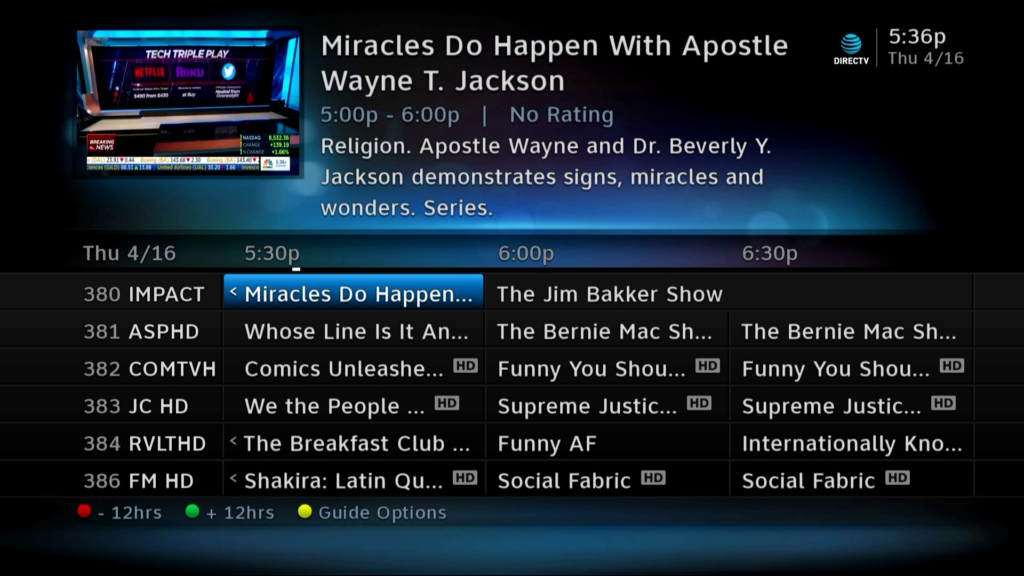
On the other hand, the H44 uses the same menus as current Genie DVRs and clients. In other words, this one:
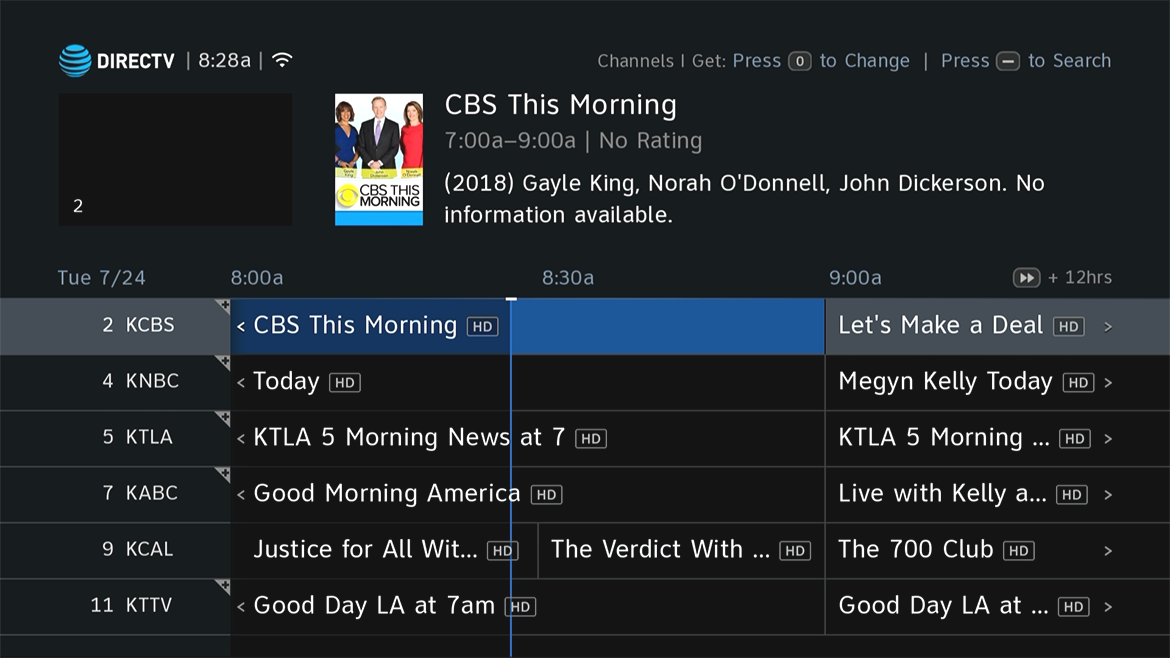
Realistically these menus aren’t a big deal if all you’re doing is looking at the guide, but once you start to change setup stuff, you’re looking at two different learning curves. You also have two different kinds of remotes, but that’s a subject for a different article.
Will the H25s ever get the new menus?
The answer here is a solid “no.” The menus you see on H44s and Genies are just the outward-facing part of a massive change to the way things are done on these receivers. Several years ago, DIRECTV took on the project of simplifying its distribution. Because of the way things had been developed, there were potentially five versions of each program being created and processed to work with all the old receivers and the new DIRECTV Stream system. Things were extensively modified so than in most cases only one version needs to exist and a second version for standard definition is created as needed.
While obviously some of that tech did make it back to the H25 and earlier receivers (because, well, they still work) a lot of the other changes that happened couldn’t be ported back. The new menus use more modern display technology. H25s don’t have fast enough processors to deal with them.
If the folks at DIRECTV really wanted to, they could build a simplified menu system that looked like the Genie menus but would work on the H25. They really don’t have any reason to do that. The feeling is that most new installs will use H44s or newer hardware from now on. The H25 will only be used when really needed. For example, H25s are still needed for mobile and marine. H44s can’t work with those dishes.
What can you do if this is a problem in your install?
The simplest thing to do is replace your old H25s with H44s. That’s going to make every experience the same. You could also do the opposite, I supposed. You could replace your H44s with H25s, but keep in mind the H44s are newer and faster. So I’m not sure that’s the best option for you.
If you want to talk about the options, call us at [email protected]! We have commercial account specialists available during East Coast business hours. We’ll help you find a solution that makes sense to you.




Be the first to comment on "Will DIRECTV’s H25 receiver get the same menus as the H44?"