
Well friends, here we are again. Another iOS upgrade, another opportunity for the built-in cell meter to stop working. If you look here and here, you’ll see it’s not the first time. And really, I haven’t blogged about it every time it happens. Those are just two times it got pretty bad.
Apple’s latest upgrade, iOS 16, looks to have completely changed the field test mode app, and when you first look at it, you’ll think it’s completely useless again. Luckily they didn’t break everything, they just moved it around. Let’s take a look
Quickly, here’s what field test mode is
Field test mode is a hidden app that’s been in every iPhone, possibly since the beginning. I know it was in iOS 4 from 2010, at any rate. It’s designed for engineers to look at what’s “really” going on with your cellular reception. Since Apple doesn’t allow cell signal meter apps, it’s come to be the only way that people can get an idea what’s going on with their phones without buying a meter.
(By the way, the bar measurements on your phone are worthless, and here’s why.)
You get to field test mode by dialing a special number on your phone:
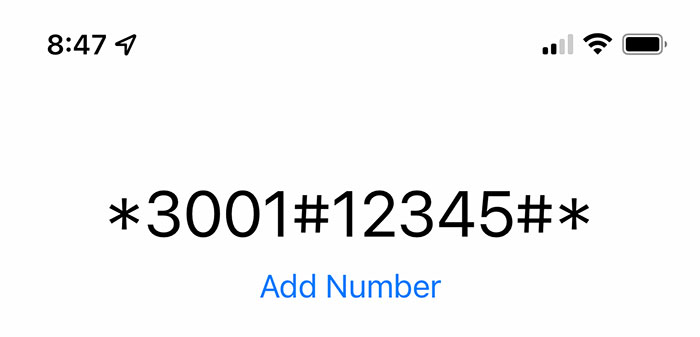
Dial that string of numbers and press the call button. But then, you probably knew that because you found this article.
What you get when you try this in iOS 16
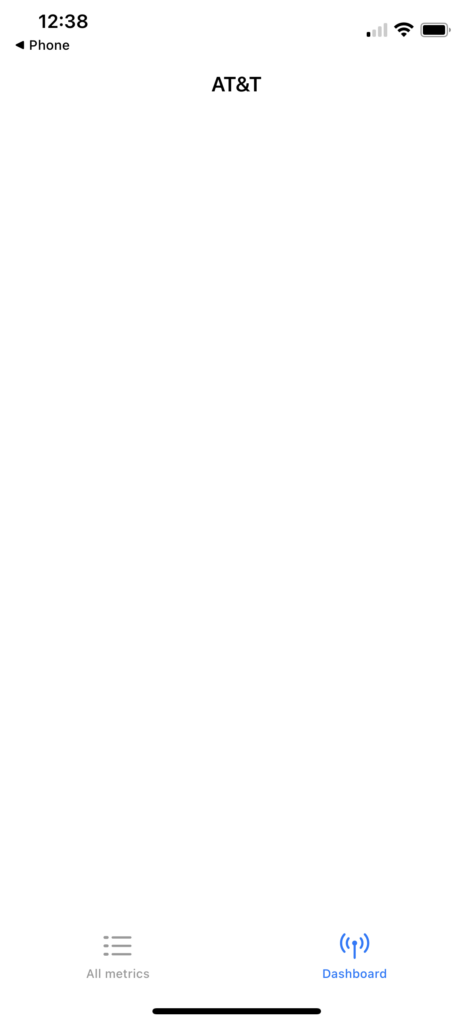
You might also get a list of all metrics, which is not incredibly helpful either.
The good news is that it seems that field test mode actually has been improved to take 5G into account. Like other parts of iOS 16 though, they had to blow up the existing experience in order to make way for the new one. After some poking around, I’ve managed to find some helpful stuff.
If you go to All Metrics, you’ll see a bunch of very new stuff. You want to look under 5G, and under 5G Nr Rach Attempt.
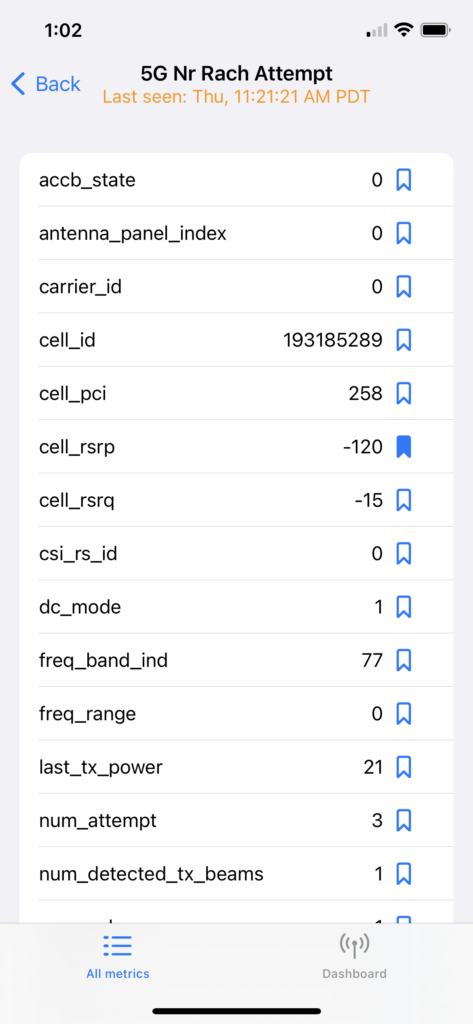
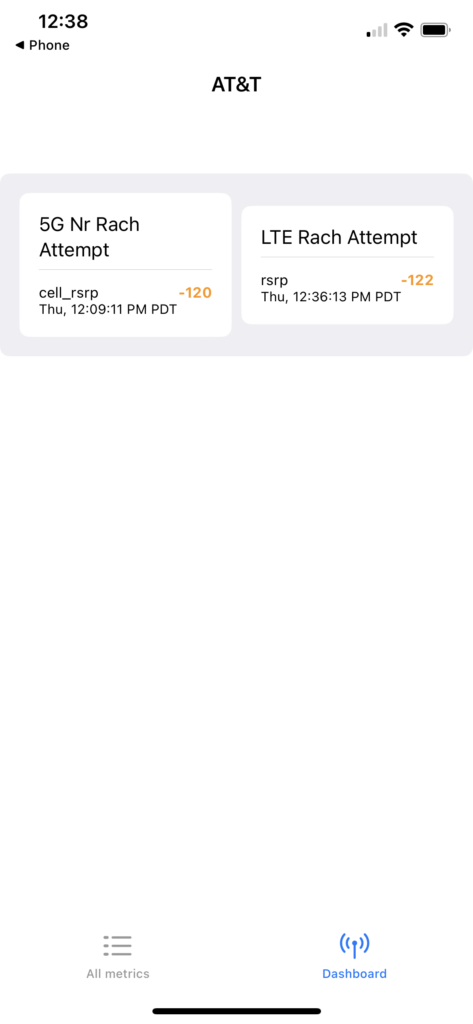
Note that you can tap on that little blue icon next to something and it becomes part of your dashboard. I did this with cell_rsrp because it’s the most important thing. You also get a notice of when the measurement is taken. Unfortunately it doesn’t always update promptly, as you can see from the 1.5 hours between measurement and the time listed at upper left.
You can also go to LTE and choose Rach Attempt to get the same information for LTE, and you can favorite that as well. Once it’s all done, your dashboard has a little more to say:
Some more things to note
The first and most important thing is that if you have Wi-Fi on and you’re connected to a network, field test mode may not update. It also may show you a blank dashboard. Just turn Wi-Fi off temporarily.
It’s also good to take a moment to understand what RSRP is and why it’s a good measure of cell signals. You’ll notice that the RSRP numbers above are really really bad and that’s because my cell booster was disconnected at the time of measurement.
You’re just better off with a cell meter, honestly
Working through iOS’s changes to the field test mode is frustrating. It’s even more frustrating when you have to wait a long time for a measurement. That’s why I recommend getting a real cell meter like this one. It’s expensive, sure, but it’s going to give you real answers and you can’t put a price on that.
If you want to get a cell meter or talk about a cellular signal booster, call the experts at Solid Signal! We’re here for you during East Coast business hours at [email protected]. If it’s after hours, fill out the form below. We’ll get back to you, usually within one business day.


iOS 16.3.1: I have no LTE “Rach Attempt” category, and cannot find any rsrp measurement anywhere under LTE?
Generally this happens when you are on Wi-Fi not on cellular. If you are on cellular, try turning your Wi-Fi off.
Thanks for the reply! Unfortunately, with Wi-Fi fully off in Settings (and Bluetooth also off, followed by a phone reboot, just in case), it’s still not there. LTE category has Active Bearers, C-DRX, CA Status, Component Carrier Info, GSM Neighbor Cell Meas, NAS, Neighbor Cell Meas, RRC State, Sel Resel Parameters, Serving Cell Info, Serving Cell Meas, Tx Power, and UMTS Neighbor Cell Meas. The only item containing “rsrp” is nbr_rsrp under Neighbor Cell Meas, but that is a positive number. With 2 bars, the only parameter in all of LTE in the -50 to -120 range is Sel Resel Parameters> Q_rxlev_min (iOS 16.3.1 on an iPhone SE 2nd gen)
Thanks for the reply! Unfortunately, with Wi-Fi fully off in Settings (and Bluetooth also off, followed by a phone reboot, just in case), it’s still not there. LTE category has Active Bearers, C-DRX, CA Status, Component Carrier Info, GSM Neighbor Cell Meas, NAS, Neighbor Cell Meas, RRC State, Sel Resel Parameters, Serving Cell Info, Serving Cell Meas, Tx Power, and UMTS Neighbor Cell Meas. The only item containing “rsrp” is nbr_rsrp under Neighbor Cell Meas, but that is a positive number. With 2 bars, the only parameter in all of LTE in the -50 to -120 range is Sel Resel Parameters> Q_rxlev_min (iOS 16.3.1 on an iPhone SE 2nd gen)
It’s possible iOS 16.5 broke it even more. This is why I tell people, find a friend who has the same cell service as you do and who has an Android. There are plenty of free cell meter apps for that platform.
None of the data shown on my phone agrees with the examples you give, nor any other I can find online. No sign of rsrp or rsr0. Closest I find is LTE Serving Cell Meas > rssi -8463. I see
ATT
RAT
Service Cell Info >
DEVICE INFO…
GSM…
LTE…
UMTS…
with submenus. Again, none show me a meaningful -dBm number.
I think that’s kinda the point, that these menus don’t work for measuring cell service.