
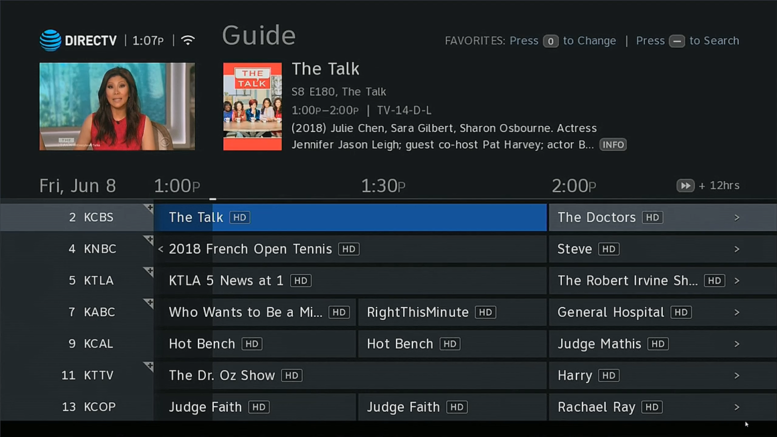
DIRECTV’s new Genie user interface is here! There has been a lot of confusion and we’ve published several guides to help make the transition easier. Take a look at this great content, and feel free to leave a comment if you’d like a new tutorial that isn’t listed here!
BREAKING NEWS: DIRECTV Rolls Out New User Interface For Genie
HANDS ON REVIEW: DIRECTV New Genie Menus (Summer 18 Update)
HANDS ON REVIEW: Even more changes to New Genie Menus
- How to sort programs in your playlist
- How can I show only local items on my playlist?
- Set up recordings with two button presses
- How to turn off Power Saving Mode
- How do I show only the channels I get?
- How do I stretch the content to fit the screen?
- Skip commercials completely
- Get a one line Mini Guide
- Step by step: Hide Standard Definition Channels
- How to view your signal strength
- HOW TO DO IT: Record a series on just one channel
- Lost Caller ID with the new Genie menus?
- How to turn on Native Mode
- How can you mark and delete with the new Genie menus?
- Back up before the beginning of a recording
- Do the new Genie menus still support advanced search terms?
- How to turn on Dolby Audio
- A guide to Satellite Setup
- What happened to mark and delete in the new menus?
- How to get to DIRECTV On Demand
- How can I look far ahead?
- Stop your DIRECTV box from turning off after 4 hours
- How do you go to a specific time in the DIRECTV Guide
- How to reboot your receiver, client or DVR
- How to clean out your series manager
- How to test your hardware
- How to create a favorites list
- NEW VIDEO: Show SD channels on DIRECTV
- NEW VIDEO: Check your DIRECTV Signal Strength (Genie GUI)
- NEW VIDEO: Test your DIRECTV Genie system
- NEW VIDEO: Use On Demand with your new Genie Menus



Hi Alexis. DIRECTV lets you record 7 things at once and have service in up to 7 rooms using small quiet boxes. It supports 4K programs and on demand. There’s an app that lets you watch on your phone. I could talk all day about it. If you have questions, use the “Contact the Editor” button at the bottom and we can talk over email.
Keep scrolling all the way down until you see a black bar. At the right it says “Contact the Editor.”